
Last refresh v last ticket updated
The last time a dataset was refreshed is not available directly. But we can estimate that by the latest ticket update timestamp. You can then create a query to display the timestamp and include it in a dashboard for easy access.
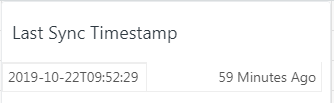
Query
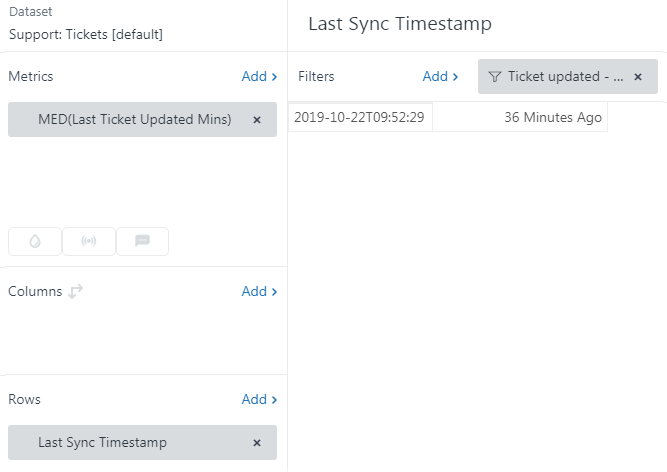
In Explore, create a new query based on the Support: Tickets [default] dataset.
Filter
- Ticket Updated -Date> This Week
Metrics
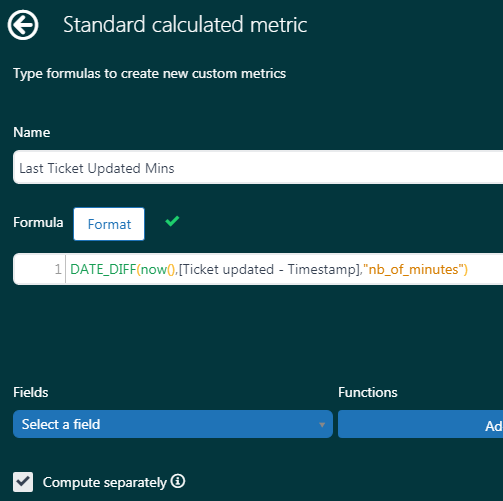
- Got to Calculations>Standard calculated metric:
- DATE_DIFF(now(),[Ticket updated - Timestamp],"nb_of_minutes")
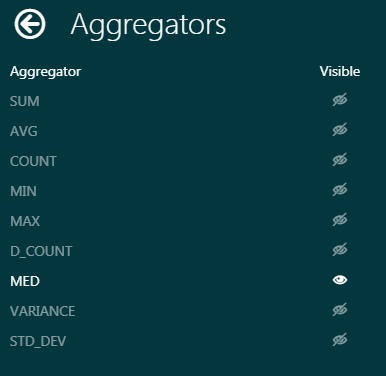
- From the Options menu, select 'Edit aggregators'
- Make all options invisible, except for MED
- From the options menu, select 'Edit display format'
- Select 'Custom'
- In the suffix box, enter ' Minutes Ago' (note the leading space before 'Minutes')
- Add your new metric to the query
Rows
- Go to Calculations>Top/ Bottom attribute and create a new attribute 'Last Sync Timestamp'
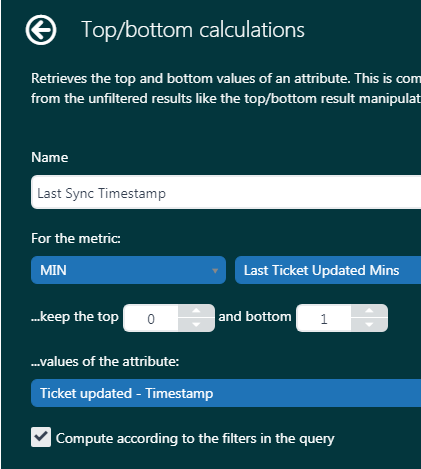
- Add the new attribute to the the query rows
Chart configuration
- Go to Chart Configuration>Chart> Header visibility
- Hide the header

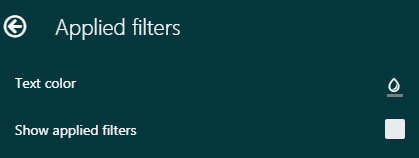
- Go to Chart Configuration>Applied Filters
- Uncheck 'Show applied filters'
Final report
Save your report and give it a name suitable for display in your dashboard.
Dashboard
You can now add your query to a dashboard. But we need to ensure any dashboard filters do not apply to this query.
If your dashboard contains filter:
- Select your query
- Select 'Exclude filters'
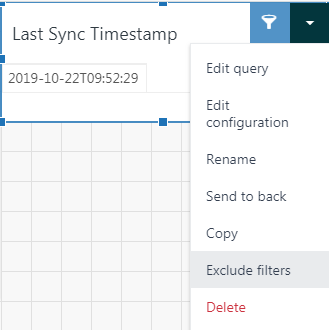
- Exclude any time filters and any data filters from the query
Comments
0 comments
Please sign in to leave a comment.