
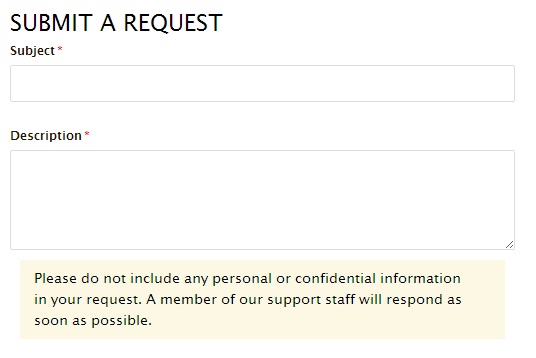
When a customer submits a new request, the description box can include some text to guide the user. Set this under Admin>Manage>Ticket Fields

To present the submit a request form to the customer:
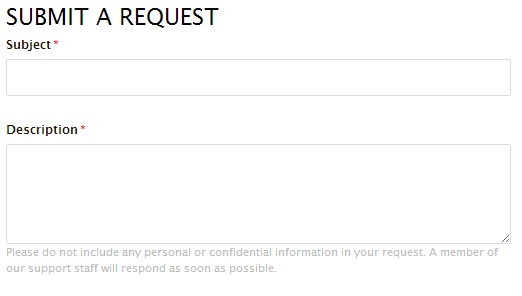
To make this text more prominent, create custom CSS in your Help Centre.
Edit your Help Centre theme for the CSS that defines 'form-field.text.required.request_description p'.
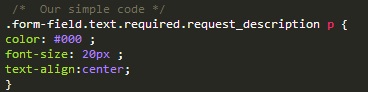
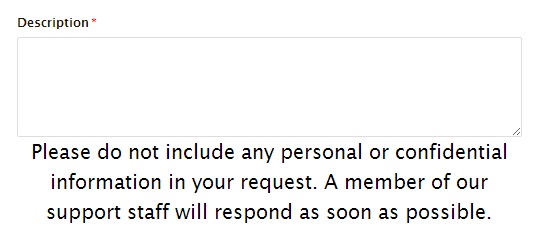
To give the effect:
Alternatively, add the following code at the end of the CSS.
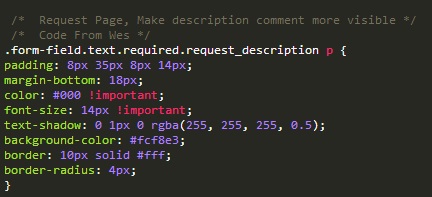
This provides a revised format on the New Request page.
Comments
1 comment
https://support.zendesk.com/hc/en-us/community/posts/205066347-One-for-a-Help-Centre-King-Queen-Prince-Princess-
Please sign in to leave a comment.